ZTmail App
S/MIME Encryption for Everybody,
Automated. AI, Your Key.
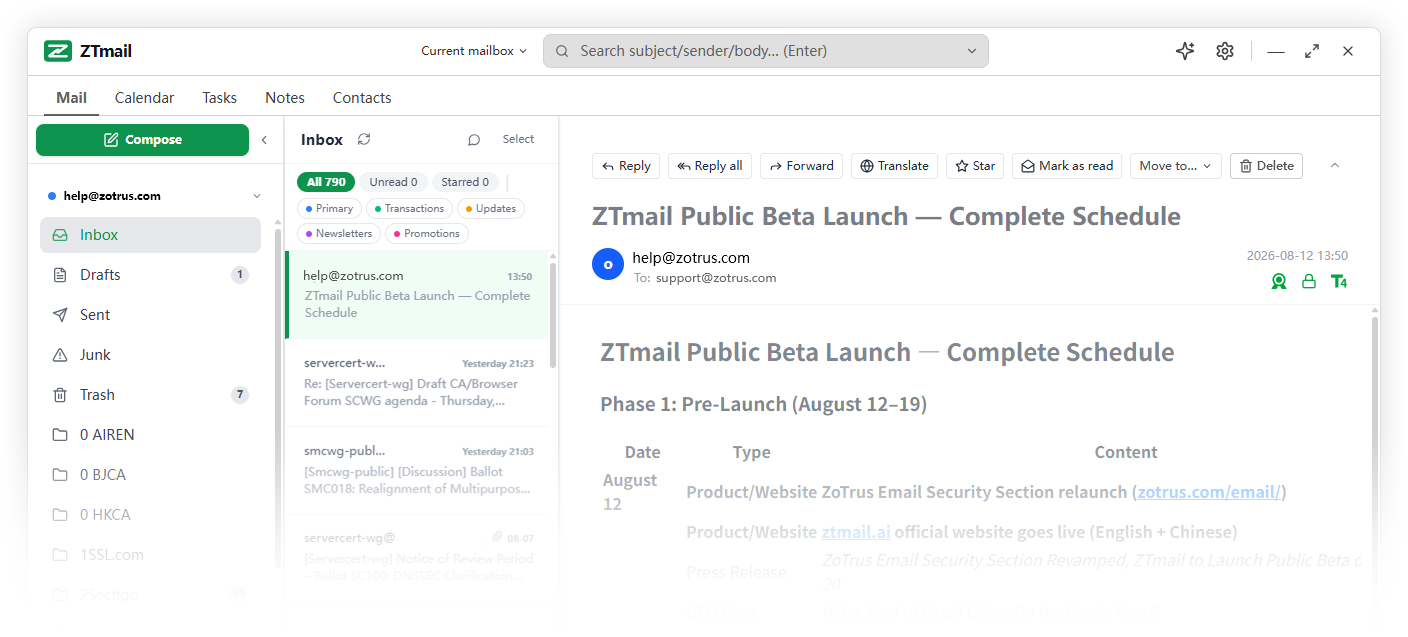
ZTmail App automates S/MIME certificate management and brings email signing, encryption, decryption, and signature validation into everyday email. Bring your own AI API key and choose the AI services you want to use.

Please Choose the Cryptographic Application Automation Service for Email
General Edition
Personal Edition
Organization Edition
Email, AutomatedFrom certificate management to everyday cryptographic operations.
S/MIME can provide email signing and end-to-end encryption, but making it work consistently requires more than issuing a certificate. Certificates must be requested, validated, deployed, renewed, and replaced, while cryptographic operations must fit naturally into the way people already communicate. ZTmail App brings these tasks together in an integrated workflow, reducing manual effort and making certificate-based trust practical for everyday email.
One App. Four Cryptographic Operations.
Signature
Digitally sign outgoing email with the sender’s certificate to help recipients verify the sender’s identity and detect changes to the signed content.
Validation
Validate email signatures and their associated certificate trust information. Helps make the result understandable by presenting relevant trusted-identity information in the email UI ( T1 / T2 / T3 / T4 ).
Encryption
Protect email content with S/MIME end-to-end encryption when the recipient’s public-key certificate is available. Encryption helps ensure that only intended recipients with the corresponding private keys can read the protected content.
Decryption
Automatically decrypt incoming encrypted messages using the user’s private key, integrating decryption into the normal email workflow rather than treating it as a separate technical task.
Choose Your Trusted IdentityRecipients should be able to see more than an email address.
An email address identifies a mailbox, but it does not by itself establish who a person is or which organization they belong to. ZTmail supports different levels of validated identity, allowing users to choose the identity that fits their communication needs. Start with a mailbox identity and upgrade to a validated personal, organization, or employee identity as needed. Multiple identities can coexist, so users can choose the appropriate identity for different recipients and situations.
From:
- < user@example.com >
 Mailbox Validated Upgrade to


- Full name < user@example.com >
- Organization name < user@example.com >
- Full name, Organization name < user@example.com >
- < user@example.com >
 Identity Not Validated
 - < user@example.com > Mailbox Validated Upgrade to
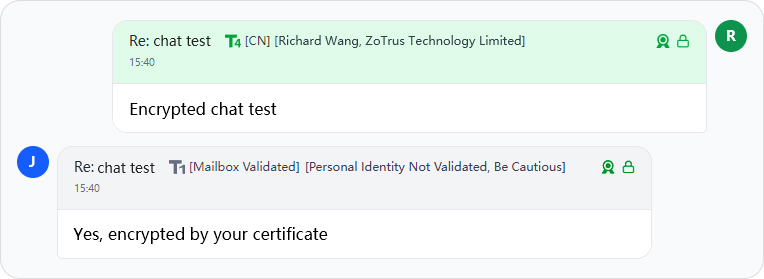
Encrypted
— Sent to Whom
Every email you send is automatically encrypted and digitally signed.Choose the trusted identity level of your S/MIME certificate — MV ▪ IV ▪ OV ▪ SV
Received:
- James JohnsonMailbox Validated
- Emily WilliamsIndividual Validated
- Michael BrownOrganization Validated
- Sarah JonesSponsor Validated
- John SmithIdentity Not Validated
- James JohnsonMailbox Validated
Encrypted
— Received from Whom
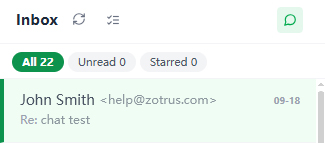
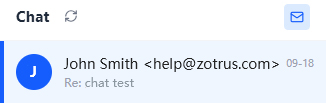
See the sender's verified identity level at a glance.MV ▪ IV ▪ OV ▪ SV identity levels are clearly displayed as T1 / T2 / T3 / T4
Three Trust Architectures. One Email Workflow.Choose the cryptographic trust domain that fits your needs.
ZTmail Trust
Use ZTmail-trusted identity certificates for trusted identity display and certificate-based cryptographic operations within the ZTmail ecosystem.
This architecture is designed for users who want practical identity and email-cryptography capabilities through an integrated service.
Global Trust
Use certificates trusted by the wider global ecosystem for users and organizations that require direct compatibility with external email clients and trust environments.
The available certificate type depends on the identity and use case.
Hybrid Trust
Combine ZTmail identity certificates with Global Trust capabilities. A ZTmail IV, OV, SV certificate provides the identity shown within ZTmail, while a Global Trust MV certificate can support compatibility with the wider email ecosystem.
This brings together ZTmail identity display and broader ecosystem trust without requiring every identity certificate to be globally trusted.
S/MIME Certificates, Free & Automated from Day One.S/MIME should not require users to become certificate experts.
Automatic Enrollment
Certificates are requested and issued automatically according to the required identity level.
Automatic Deployment and Use
ZTmail automatically configures the selected certificate for email signing and encryption.
Automatic Renewal
Certificates are renewed automatically before expiration.
Automatic Replacement
When a new certificate becomes available, ZTmail automatically switches to it.
Client + Cloud. Built for Privacy and Automation.
ZTmail combines user-controlled cryptography in client with automated certificate services in cloud and flexible key-management solutions.
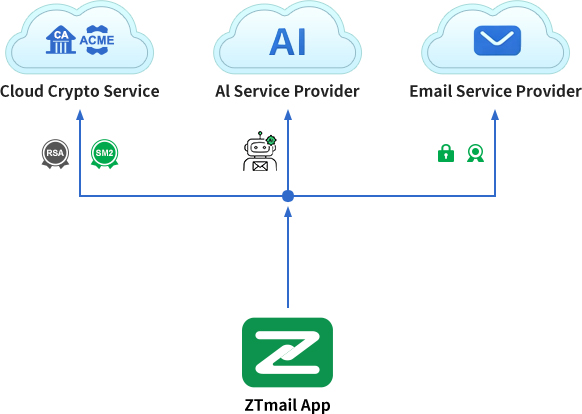
Your Data Stays in Your device. Your Certificates Stay Automated.
The client-cloud structure for S/MIME certificate automation follows RFC 8555 and RFC 8823 standards for RSA algorithm certificate, and the SM2 certificate automation follows the draft Chinese commercial cryptography standard, ‘Automated Certificate Management Protocol,’ led by ZoTrus Technology.
One Cryptographic Foundation
Standard-based cryptography. Your choice of algorithm.
ZTmail App builds on established cryptographic standards for email, supporting your choice of cryptographic technology to meet interoperability, performance, regulatory, and future-security requirements.
S/MIME · RFC 8555 · RFC 8823 · CN-GM/T
RSA / ECC
For broad interoperability and established S/MIME ecosystems.
SM2
An standardized elliptic-curve algorithm with shorter keys and efficient performance.
PQC
Post-Quantum Cryptography for the next generation of secure communications.
Bring Your AI to ZTmail
Use the AI provider you trust. Bring your own API key. No forced AI vendor. No AI lock-in.
Write Smarter
- Draft & polish new emails, draft replies
- Summarize
- Translate
Work Smarter
- Extract schedules and action items
- Organize email information
- Turning conversations into useful tasks
Stay Safer
- Detect phishing and fraud
- Identify suspicious email patterns
- Protect sensitive information
Your AI. Your API Key. Your Choice. AI for Productivity. AI for Security.
→ Who are you?
→ Is the content encrypted?
→ Can this content be trusted? Is there a threat?
→ How can you work more efficiently?
Cryptography protects the trust layer. AI enhances the content and productivity layer.
Protect Your Past. Automate Your Future.
Already have S/MIME certificates? Bring them with you.
Your Private Keys. Your Control.
ZTmail automates certificates without taking control of your private keys, it is securely stored in your device. Automation remove the manual work, not take away your control.
One App. Many Secure Email Needs.
Personal Privacy
Protect personal emails, financial information, and confidential data.
Business Communication
Protect sensitive communication with clients, partners, and colleagues.
Trusted Identity
Let recipients verify who you are, beyond simply seeing your email address.
High-Security Communication
Use stronger identity validation and cryptographic protection where trust matters most.
Email Security Without the Certificate Headache.
ZTmail App turns S/MIME from a good technology into an easy-to-use one through automation.
Encryption
Encrypt sensitive email and digitally sign every messages.
Trusted
Let recipients verify the identity behind an email.
Controlled
Keep private keys and email data in your device.
Automated
Automate certificate enrollment, deployment, renewal, and replacement.
Future-Ready
Evolve from today's cryptography toward Post-Quantum Cryptography (PQC).